Subscription vs pay-as-you-go: how to find your break-even
A subscription only pays off above a usage threshold. Learn how DeepFrugal computes effective subscription prices, including cached tokens, and find your break-even with the interactive calculator.
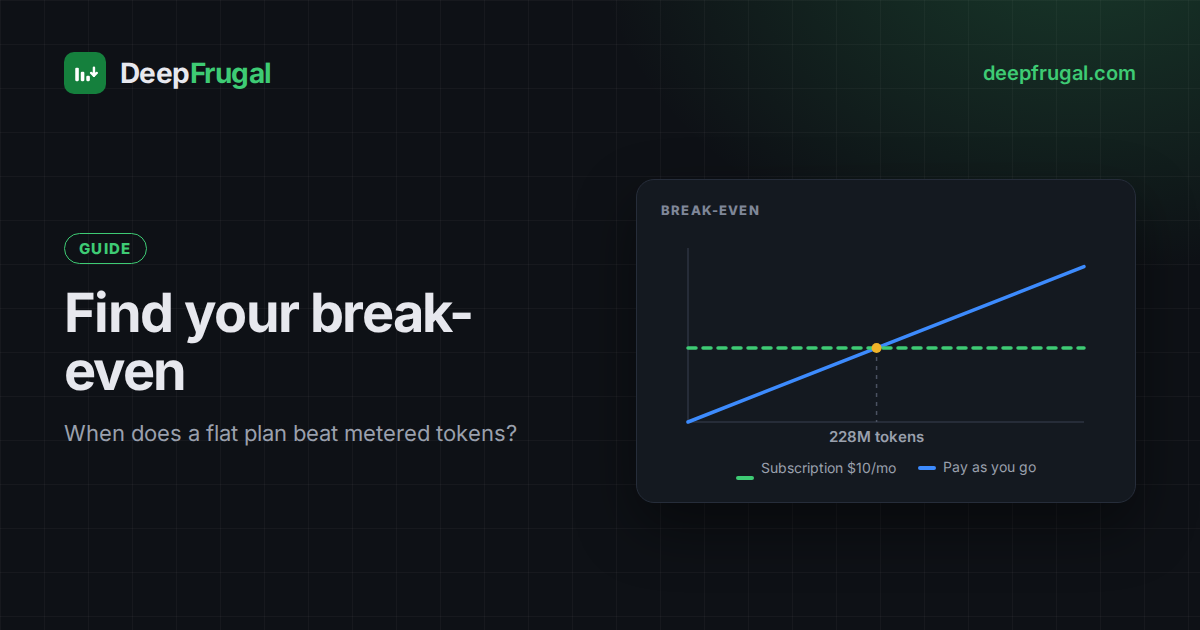
A flat monthly plan feels cheap next to a pay-as-you-go API. It is not always cheaper. The plan wins only above a usage threshold. Below that threshold you pay for capacity you never use.
This guide shows how DeepFrugal turns a plan's list price into an effective price per token, and how to find the usage where a plan beats paying per token.
Why the list price is not the real price
Gateways publish prices in three shapes. DeepFrugal normalises all of them to $ per 1M tokens.
| Billing | Real price |
|---|---|
| Pay as you go | The listed price. |
| Subscription | Listed × (subscription ÷ quota). |
| Reseller | Listed × (1 + service fee). Sales tax is not included. |
Many plans grant a usage quota instead of a fixed token count. The quota takes a few shapes:
- Dollar credit — a budget of dollars spent at the listed rates. A plan that buys a multiple of what you pay (3× the subscription, say) is the same kind, just a bigger budget.
- Token credit — the plan grants credits, and each model consumes a different number of them per token.
- Usage limited — messages, tasks or a shared pool, with no token or credit amount published.
A dollar-credit quota is a budget, not a token count. It is spent at a rate that depends on the model: an expensive model consumes more of the budget for the same listed dollars. DeepFrugal scales the listed rate by the plan, so a single model's effective rate depends only on the subscription and its quota. A mix spends the budget in proportion to each model's share. For the full picture, see how AI subscription credits work.
Listed prices and quotas change over time. This table shows one example of a plan's listed and effective rates:
Figures are examples. Plans, promos and prices change over time. Check the live table for current values.
The effective rate is a best case. It assumes you consume every included token on the selected model. DeepFrugal states this in every price tooltip.
Don't forget cached tokens
Most providers bill cached input at a lower rate than fresh input, and some charge a separate cache write fee. A cached read is often around 10% of the input price. If your workload reuses a long prompt, cache reads can dominate your bill.
Three token types therefore drive the real cost:
- Input — fresh prompt tokens.
- Cached read — prompt tokens served from cache.
- Cached write — tokens written into the cache, when the provider charges.
- Output — generated tokens.
The calculator below includes all of them. Add your monthly cached input and cache writes to see how much the subscription really saves.
Find your break-even
Pick a plan, then add the models you actually use. Each row has its own monthly input, cached read, cached write and output; use Add model to build a mix. The default is the Medium preset. Pick Light, Medium or Heavy · agentic to load a representative mix, then edit it; each chip names the models it will load for the selected plan.
The same calculator is available as a standalone page at /tools/plan-break-even/. It keeps your usage in the URL, so you can bookmark a calculation or share it.
The calculator values your usage at the listed rates and compares it with the plan. Below the subscription price, pay-as-you-go is cheaper. Between the subscription price and the quota, you pay the flat subscription and the rest is saving.
The plan grants one monthly budget for the whole mix. We cannot know the order in which you draw from each model, so the calculator assumes the list order; use the arrows to approximate your own pattern. Usage above a model's own quota, or beyond the budget, is not covered: choose what the overflow is billed at — the model's listed rate (the default), the cheapest pay-as-you-go rate found for it, or the cheaper of the two.
The calculator reads the same data as the main table. It recomputes on every change.
Open How the plan quota is consumed to see each model's share of the plan quota and its pay-as-you-go excess, and Effective rates (listed vs effective) for the listed-versus-effective table. Both panels start collapsed to keep the calculator compact.
Compare providers for one model
Model prices differ by provider. The same model can cost several times more on one endpoint than another. Peak, off-peak and flex tiers are separate rows.
| Plan | Pricing /1M | Monthly quota | ||
|---|---|---|---|---|
| Input | Output | Cached read | ||
| Ozore APIOzore | $0.11 | $0.42 | — | — |
| Ozore BasicOzore | $0.11 | $0.42 | — | $20 of usage credits |
| Ozore ProOzore | $0.11 | $0.42 | — | $70 of usage credits |
| OpenRouter APIOpenRouter | $0.13 | $0.52 | $0.003 | — |
| Portal PlusNous Portal | $0.13 | $0.52 | $0.003 | $22 of usage credits · $10 rollover cap |
| Portal PlusNous Portal | $0.13 | $0.52 | $0.003 | $22 of usage credits · $10 rollover cap |
| Portal SuperNous Portal | $0.13 | $0.52 | $0.003 | $110 of usage credits · $50 rollover cap |
| Portal SuperNous Portal | $0.13 | $0.52 | $0.003 | $110 of usage credits · $50 rollover cap |
| Portal UltraNous Portal | $0.13 | $0.52 | $0.003 | $220 of usage credits · $100 rollover cap |
| Portal UltraNous Portal | $0.13 | $0.52 | $0.003 | $220 of usage credits · $100 rollover cap |
 Ozore API
 OpenRouter API
 Portal Plus
The table ranks providers by their listed rate — the price you pay per token on pay-as-you-go, before any subscription scaling or fee. Each row links to the gateway. Turn on Effective prices to see the rate with the fee applied, or scaled down by a plan's quota; the ranking updates with it. Sales tax is never included.
Browse a plan
Subscription plans bundle many models. This table lists a plan's models with their effective prices, cached reads and writes, and the monthly quota each model draws from. Use the selector to switch plan, and click a column header to sort.
Read the live table
Every widget links back to the live comparison table. There you can filter by provider, context, latency, prompt logging and more.
A few rules of thumb:
- Low usage: pay as you go. You pay only for what you send.
- High, steady usage: a subscription. The effective rate falls as you use the quota.
- Cache-heavy usage: check the cached read rate. It can change the ranking.
- Bursty usage: check the daily and weekly quotas. Many plans throttle bursts well below the monthly quota.
- Resellers: add the service fee before you compare. Sales tax is not included — confirm it with the provider.
Summary
The cheapest plan is the one that matches your usage. DeepFrugal shows both numbers side by side, so you can decide with data instead of marketing copy.
Frequently asked questions
When does a subscription beat pay-as-you-go?
Above a usage threshold, once the flat commitment is spread over enough tokens. Below it, metered billing is cheaper.
What is an effective price per token?
The listed rate scaled by the plan: listed multiplied by the subscription and divided by the quota. It assumes the whole quota is used.
How do cached tokens change the result?
Cached reads are usually cheaper and cache writes may cost extra. The calculator includes input, cached read, cached write and output.
What if I use more than the quota?
The excess is billed separately, at the plan's overflow base — usually the model's listed rate. The plan covers the quota; you pay for the rest.
Do weekly and daily limits matter?
Yes for bursty usage. They cap how fast you can spend the budget and can throttle you before the month ends.